
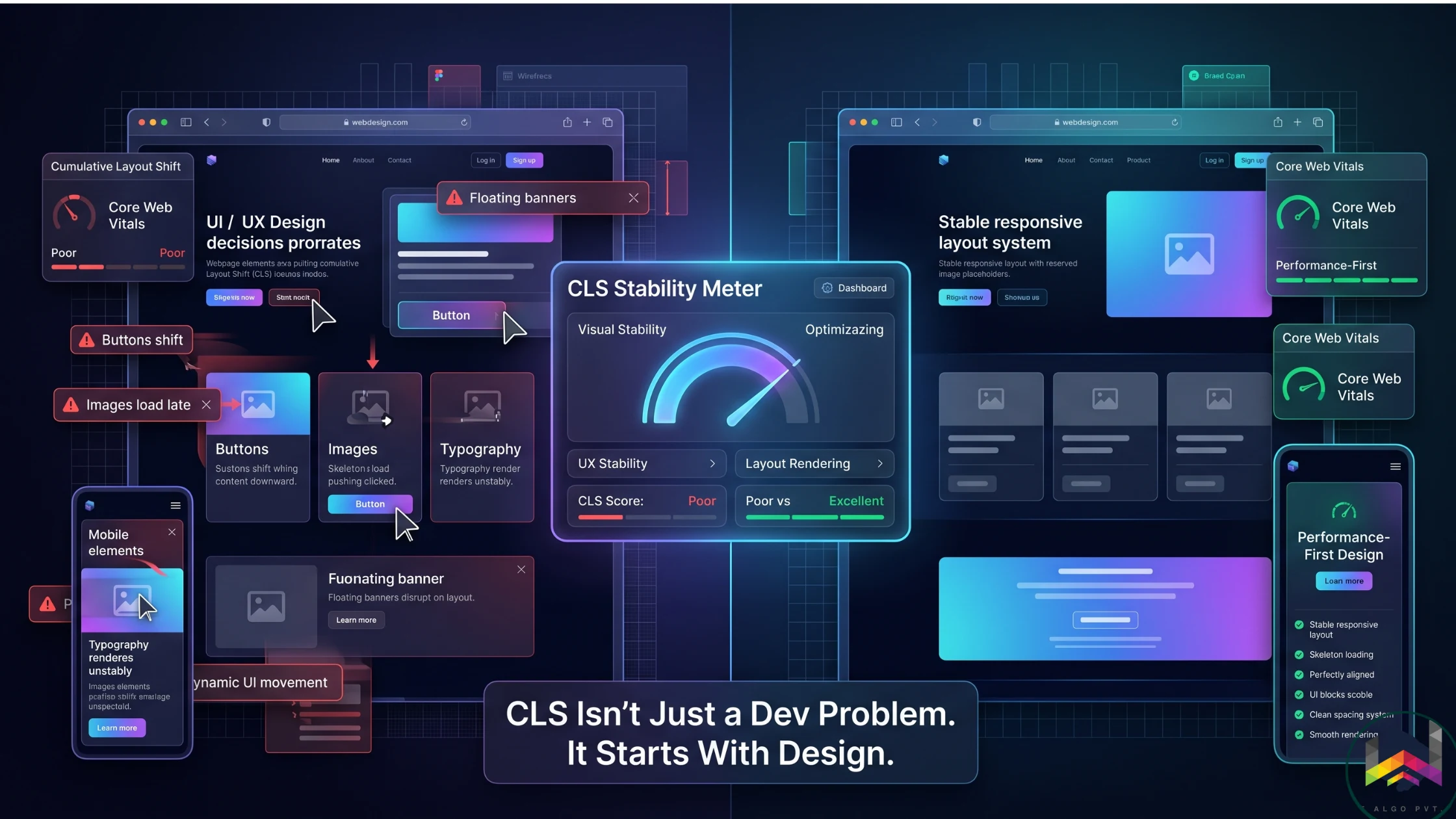
Why CLS Matters (The Business Impact)
Picture reaching for a button and the page jumps at the last second. That frustrating moment is exactly why CLS matters.
Cumulative Layout Shift is a Core Web Vital that measures unexpected movement while a page loads. The impact goes well beyond a technical score because layout instability raises bounce rates, lowers conversions, erodes trust, and can even hurt search visibility.
The Design vs. Development Breakdown
Designers Control
- Spacing systems and whitespace allocation
- Image aspect ratios and responsive behavior
- Typography hierarchy and font loading strategy
- Component architecture and reserved space
- Animation and motion guidelines
Developers Control
- Asset optimization and delivery performance
- Lazy loading protocols
- CSS rendering and containment
- Font-display settings and fallback strategy
- DOM insertion timing
Four Design Mistakes That Cause CLS
1. Undefined Image Dimensions
- The browser renders text first, then the image arrives and pushes content down.
- Fix: define width, height, or a locked aspect ratio for every image.
2. Dynamic Components Without Reserved Space
- Popups, sticky headers, announcement bars, and widgets shift the layout when their space is not reserved.
- Fix: pre-allocate the footprint and use skeleton states or reserved containers.
3. Typography Instability
- Custom fonts can reflow text when they swap in, especially when the fallback metrics are different.
- Fix: use font-display swap, preload critical fonts, and keep the font system consistent.
4. Ad and Embedded Widget Placement
- Third-party embeds often load asynchronously and displace nearby content.
- Fix: lock the container size for embeds and ads before they load.
CLS Best Practices for Teams
For Designers
- Design with reserved space and fixed aspect ratios in mind.
- Create stable component systems with strict spacing consistency.
- Think in load behavior, not just appearance.
- Include Core Web Vitals in design reviews, not just launch checklists.
For Developers
- Declare width and height on image tags.
- Preload critical assets like hero images and web fonts.
- Use transform-based animation instead of layout-triggering properties.
- Apply containment to isolate dynamic components.
Real World Impact: E-Commerce Example
Imagine shopping for shoes and clicking Add to Cart just as a lazy-loaded recommendation panel appears. The layout shifts, your click misses, and the sale disappears.
That is the real cost of poor CLS: lost trust, lost conversions, and avoidable revenue loss.
How CLS Affects SEO and Revenue
Poor CLS hurts user experience, but it also affects the bottom line. Users leave unstable sites faster, purchase intent drops, and search engines treat the instability as a quality issue.
A typical e-commerce site losing even a small portion of traffic to layout instability can lose thousands in monthly revenue. Fixing CLS recovers that value without needing more traffic.
Measuring CLS: Tools You Need
Aim for a CLS score of 0.1 or less at the 75th percentile. Anything above that should be treated as a design and implementation priority.
- Google PageSpeed Insights for real-user data
- Lighthouse for quick lab testing
- Chrome DevTools Performance for frame-by-frame debugging
- The Web Vitals Chrome extension for live monitoring
The Future: Performance First Design
We are moving toward a world where performance is a design KPI, not a post-launch cleanup task.
Forward-thinking teams are bringing performance into design systems, component libraries, and review cycles so stability is handled before launch, not after.
The Bottom Line
CLS is fundamentally a design stability issue. Strong teams build where designers understand performance, developers understand UX, and SEO is accounted for in both.
Designing with layout stability in mind from day one leads to faster, more predictable experiences that convert better and rank higher.
Ready for the next step?
By designing with layout stability in mind from day one, you build faster, more predictable experiences that convert better and rank higher.